


Creating and editing an event
Create a new event from the home page. Open an existing event from Events in the menu — the edit form is the same.
-
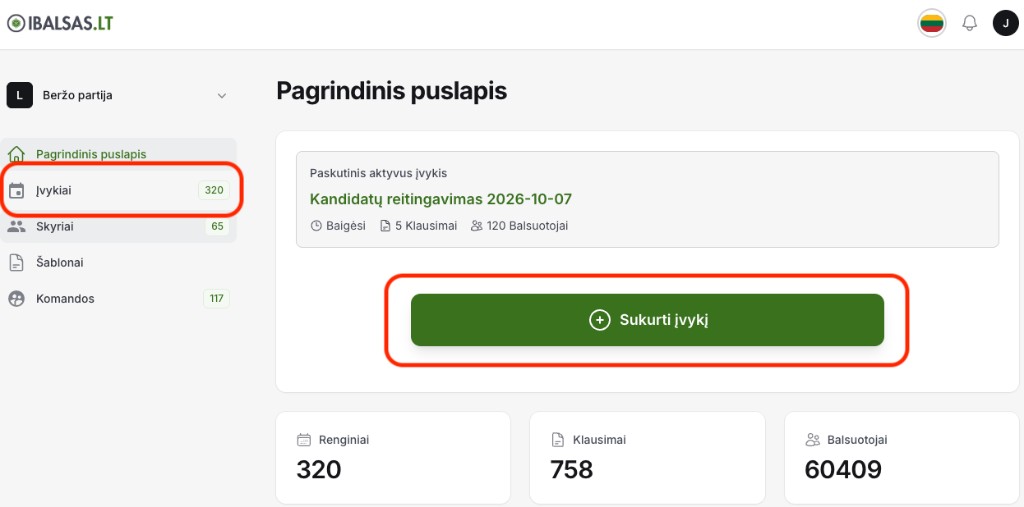
On the home page, press Create event. The event list is in the left menu, under Events.
-
Enter the title, start time, and end time. The Active switch controls whether voters can see the event. Then press Create. When editing, press Save.
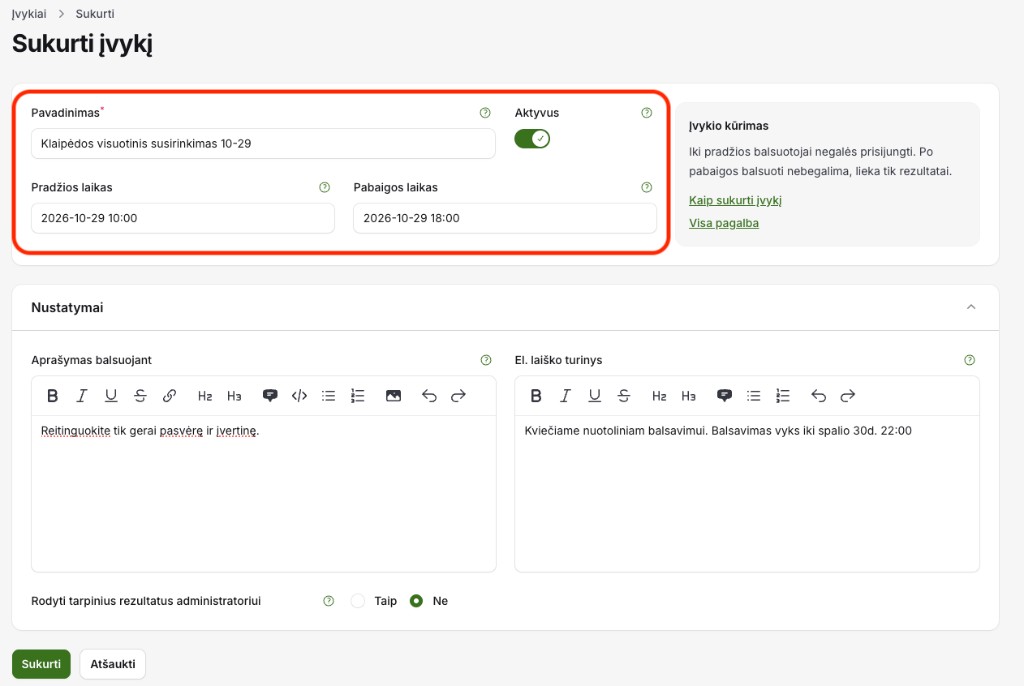
Voters cannot sign in before the start time. After the end time they can no longer vote, only view results.